Snipers Vs Runners Code Copy Tool
Paste-ready promo strings with reward reminders — keep this page open while you redeem in-game.
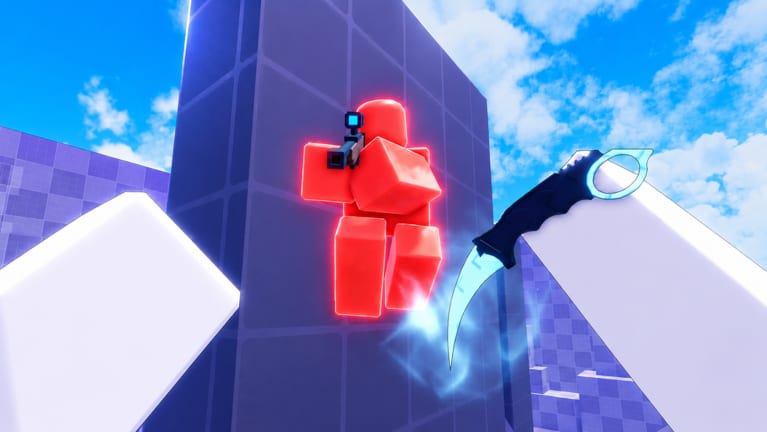
Redeeming promo codes in Snipers Vs Runners should take seconds, but small mistakes cost time: wrong capitalization, extra spaces, or trying FFA while you are still in the standard one-Sniper queue. This page combines a live copy panel with a full explanation of each code so you know what you are claiming before you open the in-game Codes menu in the upper-right corner of the HUD.
Tap a code to copy it, then open Codes (upper-right in-game) and paste. See the redemption guide for mobile tips and the FFA code page before using FFA.
What this tool does
Each button copies a single promo string to your clipboard using your browser’s native API. After a successful copy, a status line confirms the text — switch to Roblox, click Codes, paste, and submit. The tool does not auto-redeem, does not log into Roblox, and does not store codes on a server. If clipboard access is blocked (some embedded browsers), fall back to manual selection from the panel or the table on the Codes hub.
Codes included in the panel
RELEASE
Launch celebration code granting 1,000 Cash. Cash is the soft currency for Sniper cosmetics in this experience; it does not increase bullet damage or Runner speed. New accounts should redeem RELEASE first so you can open a case or buy a cheap skin before grinding public matches.
UPDATE1 and UPDATE2
Each update milestone code grants 5,000 Cash when active. Redeem both on the same account to stack 10,000 Cash total, assuming neither promo was retired. They use the same menu as RELEASE and work from the main lobby — no special mode required. If the game says you already claimed a code, that promo is one-time per account; alts used to farm codes violate Roblox rules.
FFA (mode-specific)
The FFA code pays 5,000 Cash plus 5 Basic Melee Cases, but only while you are inside Free For All. Standard Snipers-vs-Runners lobbies often reject the string with no reward even when spelling is perfect. Queue FFA first using the FFA mode guide, enter the mode, then open Codes and paste. Read FFA code deep dive if you need troubleshooting screenshots-level detail.
Step-by-step redemption workflow
- Launch the official experience (place 133609054222738 by STOCK STUDIOS INC.) from the wiki home button or Roblox search — avoid copycat titles.
- Wait until lobby UI finishes loading; redeeming on a black loading screen sometimes fails silently.
- Open this tool beside the game on mobile or a second monitor on PC.
- Copy RELEASE, paste in Codes, confirm success, repeat for UPDATE1 and UPDATE2.
- For FFA, switch modes before copying — do not redeem FFA from the classic queue “just to test.”
- Open Basic Melee Cases from inventory and equip results through Sniper customization. Duplicates may happen depending on drop pools.
Detailed platform steps live in How to redeem codes, including mobile keyboard quirks and server-hop advice.
When a copy succeeds but redemption fails
Invalid code usually means a typo, an expired promo, or the wrong game instance. Already redeemed means your account claimed it during a past session. FFA failures almost always mean wrong mode — not a broken clipboard. Lag can delay success popups; wait for the first response before spamming submit. None of these issues are fixed by third-party “generators”; only the in-game menu pays out.
How this page stays accurate
We mirror the same four strings documented on the Codes hub and summarized in Updates when STOCK STUDIOS INC. adds or retires promos. The developer has not published an official Trello at the time of writing; when new codes appear on the Roblox game page or Discord, we update the hub first, then this tool’s labels stay aligned because they reference the same strings.
Spend Cash wisely after redeeming
Codes accelerate cosmetics, not skill. Before you buy the flashiest Sniper skin, skim the Tier list hub so you understand which items players recognize in public lobbies. Runners who never play Sniper still benefit from free Cash if they rotate roles — see the Roles hub for when swapping sides makes sense.
Related links
- Codes hub — full table and FAQ.
- How to redeem codes — PC and mobile walkthrough.
- Tools hub — other browser helpers.
- How to play — modes after you claim rewards.
Frequently Asked Questions
Quick answers about Snipers Vs Runners on Roblox.
Does the copy tool redeem codes automatically?
No. It only places the promo string on your clipboard. You must paste into the in-game Codes menu yourself.
Why copy instead of typing codes?
Snipers Vs Runners codes are case-sensitive. Copying avoids mobile typos and confusion between UPDATE1 and UPDATE2.
Can I use this tool on console Roblox?
Console browsers are limited. Open the Codes hub on a phone to copy, or type manually from the table while double-checking capitalization.
Will new codes appear in the panel automatically?
When we add promos to the Codes hub, we update this component in the same site deploy. Refresh the page after wiki updates.